
15 / 18
Case file
Commercial indoor and outdoor display panels, signage video walls, menu boards, wayfinding and queue or information screens — driven by content-management software with scheduling and remote management for retail, hospitality, corporate, transport and institutional spaces.
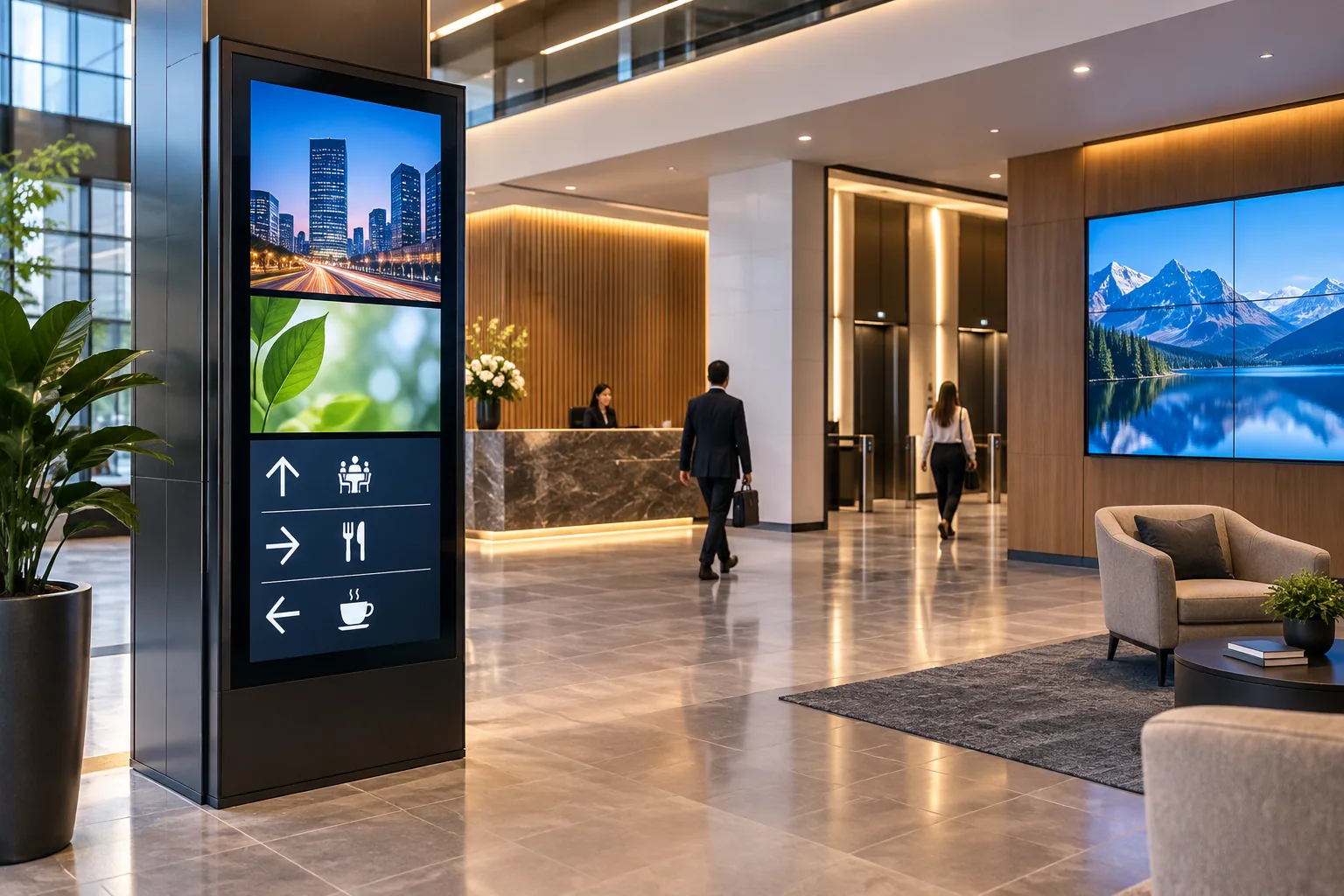
| Aspect | Off-the-shelf | Engineered approach |
|---|---|---|
| Display | Consumer television in a public space | Commercial-grade panel specified to the environment — high-brightness, portrait or ruggedised as the position needs |
| Content control | Each screen updated by hand | Content-management software schedules what plays per zone and updates the whole estate from one dashboard |
| Operation | Orphan screens | Managed estate over a secured network with role-based publishing and remote monitoring that flags a dark display |
Educational comparison of design rigour — not a statement about any specific installer.
/ The discipline, in detail
How we approach digital signage & wayfinding.
A signage screen is only as good as the system behind it. A consumer television in a public space fades, overheats and forgets what it was meant to show; a commercial-grade signage panel is built for extended-hours duty, the brightness its environment demands, and a content-management platform that decides what plays, where and when. We specify the panel to the space — high-brightness for sun-facing storefronts, slim portrait displays for wayfinding piers, ruggedised enclosures for outdoor and semi-outdoor positions — and then build the layer that matters most: the CMS, the player hardware, the scheduling calendar and the remote-monitoring that tells you a screen has gone dark before a visitor does.
We design signage as a managed estate, not a set of orphan screens. Menu boards re-price from one dashboard across every counter; wayfinding and directory screens update when a tenant moves; queue and information displays integrate with the systems that feed them; and a single network carries content securely to every endpoint with role-based access for the teams who publish to it. Commissioning includes a documented channel-and-zone plan, a content template the client's own marketing or front-desk team can run, and remote management so a multi-site estate is operated from one place. Where signage shares a building with the fire, CCTV, networking and AV systems we also deliver, we coordinate containment, power and network provisioning as one scope.
On record
Every digital signage & wayfinding engagement is documented end-to-end — design, programming, commissioning, calibration — and handed over with the files our successors would need if we were never to return.
/ Orchestration
Content to screen
The signage pipeline — content management, scheduling, networked players and proof-of-play — engineered as infrastructure, not an afterthought.
Diagram · described
Signage orchestration architecture
Networked-player signage architecture for retail and hospitality. Cloud CMS publishes to local players (BrightSign, Magicinfo Player) that hold a 90-second local cache for graceful degradation if the network drops. Each player drives one or more displays in a mix of indoor LCD, indoor LED, outdoor LED and touch kiosk.
Diagrammatic view — a system planning illustration for design discussion, not a project drawing or live interface.
/ Where we deploy this
Active across 7 sectors.
Digital Signage & Wayfinding is rarely a standalone brief — it sits inside a wider sector practice with its own codes, expectations and operating rhythm.
Hospitality
Guest experience, engineered.
Commercial & Corporate
Workplaces that begin meetings on time.
Education & Institutions
Schools, colleges and universities.
Healthcare
Hospitals where systems serve the patient.
Government & Public Safety
Mission-grade integration.
Retail & Malls
Footfall, loyalty, footprint.
Restaurants, Bars & Clubs
The room. The night. The sound.
/ Sister services
The rest of av.
A serious brief usually crosses two or three of these. Read across the discipline — we deliver them as one contract.
- 01
Home Theatre
Reference cinema, in your living room.
Custom-engineered private cinemas — projector, processor, screen, seating and acoustics designed to a single sweet-spot, following THX and Dolby Atmos reference layouts.0 - 02
Multi-Room Audio
One song. Every room. Or six different ones.
Whole-home audio on Yamaha, Sonance and BluOS — invisible in-ceiling speakers, hidden subs, room-corrected and zone-routed.1 - 03
Acoustic Solutions
Rooms that sound the way they look.
Acoustic design and treatment for cinemas, auditoriums, recording studios, places of worship and conference halls — engineered absorbers, diffusers, bass traps and ceiling clouds.2 - 04
Video Walls
Pixels at the scale of architecture.
Direct-view LED, fine-pitch LCD and rear-projection video walls for command centres, lobbies, broadcast studios, control rooms and event venues.3 - 05
Control Rooms & Command Centres
The room is the instrument.
Operator environments for security, utilities, transport and industrial monitoring — where the display wall, the operator position and the infrastructure behind them are engineered as one system that runs continuously.4 - 06
Smart Classrooms
Every student. Every word. Every time.
Interactive flat-panels, lecture-capture, voice-lift and learning-management integrations — engineered to NCERT, NEP-2020 and university lab specifications.5 - 07
LED Panels & Projectors
The right pixels for the room.
Direct-view LED, OLED, microLED and laser projection — selected to the room's lux, throw, sightline and content.6 - 08
Professional Audio & PA Systems
Intelligible, every seat in the house.
Public address, voice-evacuation and concert-grade audio for auditoriums, places of worship, stadia, transit hubs and event venues.7 - 09
Auditoriums & Boardrooms
Rooms that begin on time.
Turnkey auditorium, boardroom, training-room and conference-room AV — display, audio, control, video-conferencing and lighting integrated to a single touch.8 - 10
Digital Conferencing & Voting Systems
Sittings, voting, interpretation — one system, every seat.
Parliamentary-grade digital conferencing for legislative chambers, council halls and corporate boardrooms — mic management, electronic voting, 8-channel interpretation, camera control and chamber recording, integrated through Bosch DCN, Dicentis and Integrus.9 - 11
Recording Studios & Nightlife
Rooms tuned to the recording.
Recording studio design, post-production suites, broadcast booths and nightlife audio — acoustic isolation, monitoring, console integration and DJ infrastructure.10 - 12
Stage Lighting
Light that performs.
Theatre, concert, event, nightclub and place-of-worship stage lighting — moving heads, washes, profiles, pixel-mapped LED, effect lighting and MADRIX or ProtoPixel show control on DMX / Art-Net / sACN.11 - 13
Conference Room AV
Single-touch join. Every meeting.
Microsoft Teams Rooms, Zoom Rooms and Cisco Webex meeting rooms on platform-certified hardware, with auto-tracking cameras, ceiling-array microphones and one-touch room controllers.12 - 14
Hospitality Venue AV
From the banquet stage to the last bar stool.
Hospitality venue AV — banquet hall, ballroom and conference AV, restaurant and bar zone audio, and club-grade nightlife systems with JBL Professional, K-array and Kgear, engineered for hotels, resorts and standalone venues.13 - 16
IPTV & Hospitality TV
Live channels, your channel, on every screen in the building.
Head-end reception and IP distribution of live television, in-house channels and content to commercial-grade and hotel TVs — with interactive welcome screens, an electronic programme guide, casting and integration into the property's network and guest-room systems.14 - 17
Queue Management System
Take a token, watch the counter, walk up.
Token and queue management — ticket dispensers, counter and main calling displays, audio call-forward, multi-counter routing and wait-time analytics — for healthcare, banks, government and retail counters.15 - 18
IP Paging & Announcement
Page the right zone, over the network.
IP network paging and announcement — zoned paging over the data network, SIP/telephone and desktop paging, scheduled bells and announcements — integrated with the PA and telephony systems for offices, campuses, industrial and transit sites.16
/ Integration with
How digital signage & wayfinding talks to the rest.
A serious deployment of this system rarely operates in isolation. The disciplines below most commonly share its cabling pathways, its controller logic, and its cause-and-effect matrix.
Video Walls
Pixels at the scale of architecture.
Direct-view LED, fine-pitch LCD and rear-projection video walls for command centres, lobbies, broadcast studios, control rooms and event venues.Enterprise Network Design & Installation
Wires the building's nervous system.
Structured cabling, Wi-Fi 7, switching, SD-WAN and data-centre networking — Cisco, HPE Aruba, Juniper, Netgear, CommScope.Professional Audio & PA Systems
Intelligible, every seat in the house.
Public address, voice-evacuation and concert-grade audio for auditoriums, places of worship, stadia, transit hubs and event venues.
Product intelligence
What we specify for this system, and what we hold published figures for
Where signage is direct-view LED rather than a panel, the cabinet geometry and pitch are what the specification turns on.
Audio-visual — direct-view LED
297 products · 50 brands · 140 manufacturer-verified
Including AOTO RM Series RM1.5, Barco NT1.8, Christie Lumia LED007-VC, CreateLED VBD-V 1.25, LG LSBB009-GF Fine-pitch Value Series and Leyard VDS007.
- LED Wall Size Calculator — the physical wall size and resolution this cabinet's published geometry and pitch produce.
Figures come from manufacturer documents, each recorded with its source and the date it was read. Holding published data for a product means we specify and integrate it. It does not make TechnoGuru that manufacturer’s dealer, distributor, reseller or appointed representative, and no such relationship should be inferred from a product appearing here.
Engineering toolkit
Tools to scope this work
Calculators and reference checkers we use ourselves to sense-check the engineering before any drawings change hands.
- AV · LED
LED Wall Size Calculator
Direct-view LED wall sizing across a source-cited model catalogue including Samsung, LG MAGNIT, Sony, Philips, Leyard, Absen, Unilumin, ROE Visual, AOTO, INFiLED, Daktronics, Planar, Nanolumens and more. Cabinet count, native resolution, brightness adequacy, power and weight — with pitch-vs-distance honesty and camera-refresh flags. Sources cited per model.
50 brands · pitch-awareOpen - IT · Networking
Network & PoE Calculator
Sized to year-three load — switches, Wi-Fi 7 access points, PoE budget (watts), Cat6A run count, port/AP sizing. Cisco / HPE Aruba / Juniper-class enterprise gear.
Switches · APs · PoE WOpen - Life-safety
NBC Compliance Checker
Building height, type and occupancy in — the life-safety and ELV systems NBC 2016 indicates for that building, citing NBC 2016 and the relevant IS codes.
NBC 2016 · IS codesOpen
/ Engineering concepts
Related engineering concepts
Concept
Cat6A Structured Cabling
Augmented Category 6 structured cabling — 10 Gbps over the full 100 m channel, rated for 25 years of service. The default for any new commercial or premium-residential cabling layer.
Concept
Wi-Fi 7 (IEEE 802.11be)
Current generation of Wi-Fi. Adds 6 GHz band, MLO multi-link operation and 320 MHz channels. Default for new premium deployments where dense-room capacity is the binding constraint.
Concept
Power over Ethernet (IEEE 802.3)
IEEE-standard delivery of low-voltage DC power over the same Cat-class cable as data. PoE+ delivers up to 30 W; PoE++ Type 3/4 up to 90 W — sufficient for IP cameras, APs, VOIP phones and small displays.
Concept
K-array & KGEAR — Premium Italian Architectural Audio
Premium Italian architectural-audio ecosystem — K-array's slim, discreet loudspeakers and the KGEAR everyday professional line — specified for design-led residences, hospitality and premium interiors across North-East India.
/ Used alongside
Commonly deployed alongside
Sector
Retail & Malls
Footfall, loyalty, footprint.
Sector
Restaurants, Bars & Clubs
The room. The night. The sound.
Service
Queue Management System
Take a token, watch the counter, walk up.
Service
Structured Cabling
Backbones rated for the next quarter-century.
Service
Enterprise Wi-Fi
Coverage you can measure, not just claim.
Service
Enterprise Network Design & Installation
Wires the building's nervous system.
/ Plan it right
Digital Signage & Wayfinding — getting the brief right.
Common mistakes to avoid
- Putting consumer televisions into commercial duty — brightness, burn-in behaviour and warranty terms are wrong for signage hours.
- Choosing displays before the content plan — who makes content, how often it changes and who approves it decide the system.
- No CMS and network plan for a multi-site estate, so every update becomes a USB stick and a site visit.
- Under-specifying window and outdoor screens for brightness and heat.
- Leaving power, data and mounting provisions off the interiors drawings until after finishes close.
What to share before a quotation
- Screen locations and the purpose of each screen — menu, wayfinding, promotion, notices.
- Ambient light conditions per position — window, outdoor, high-brightness needs.
- The content workflow — who publishes, from where, how often, and the approval roles.
- Network availability at each screen position and across sites.
- Operating hours and any mounting or structural constraints.
Equipment categories
See the equipment behind the solution.
Explore equipment we supply and the services around it. The final specification follows your space, operating needs and agreed scope.
Equipment illustration
Interactive kiosks
Interactive kiosk equipment for visitor information and service-counter applications. The software and workflow are agreed for each project.
Explore related service
Equipment illustration
Kiosk LED displays
Kiosk-format LED displays for information and promotional content, selected around viewing position and the installation setting.
Explore related service
Equipment illustration
Commercial LED panels & displays
Commercial display equipment for presentation and public-facing content. Display technology and operating requirements are specified for the room.
Explore related service
Equipment illustration
Digital signage TVs & displays
Signage screens for menus, directions and information. Content scheduling and management are scoped alongside the display equipment.
Explore related service
/ Frequently asked
Digital Signage & Wayfinding — what buyers ask first.
What's the difference between a digital signage panel and a regular television?
A commercial signage panel is built for extended-hours operation, with the brightness and thermal headroom a public space needs and a slot for a managed media player; a consumer television is not rated for continuous duty and has no central content control. The real difference is the system behind the glass — a content-management platform that schedules what plays on each screen, updates an entire estate from one dashboard, and reports when a display goes offline. We specify the panel to the environment and build the CMS, player and remote-management layer around it.
Can the screens across several locations be managed from one place?
Yes. We deploy signage as a managed estate over a secured network: each screen is a defined zone, content is scheduled centrally, and publishing rights are assigned by role so a marketing or front-desk team updates its own screens without touching the rest. Remote monitoring flags a dark or offline display, and menu boards or directories re-price and re-skin across every site from a single dashboard.
Who updates the signage content after handover?
Your team, from the content-management software — that is the design intent. We set up templates, schedules and role-based publishing so a marketing coordinator can update a menu board without touching the player, and we train the roles at handover. The content workflow is one of the inputs we ask for before quoting.
Why can't we just use ordinary televisions for signage?
Because signage duty is long hours of bright, often static content — commercial panels are rated for that brightness, duty cycle and burn-in behaviour, and their warranties assume it; consumer TVs are not and do not. Window and outdoor positions push the requirement further, needing high-brightness panels specified against the ambient light at the exact position.
What happens to the screens when the network goes down?
Playback continues — networked media players cache their content locally, so a network outage costs you the ability to push updates, not the screens themselves. That is also why the management network can be modest: it carries scheduled content and monitoring, not a live video stream to every screen.
· Begin
Begin a
digital signage & wayfinding
brief.
Tell us about the building, the timeline, and what success looks like a year after handover. We will reply within two working days with a written response, not a sales pitch.