
06 / 18
Case file
Interactive flat-panels, lecture-capture, voice-lift and learning-management integrations — engineered to NCERT, NEP-2020 and university lab specifications.
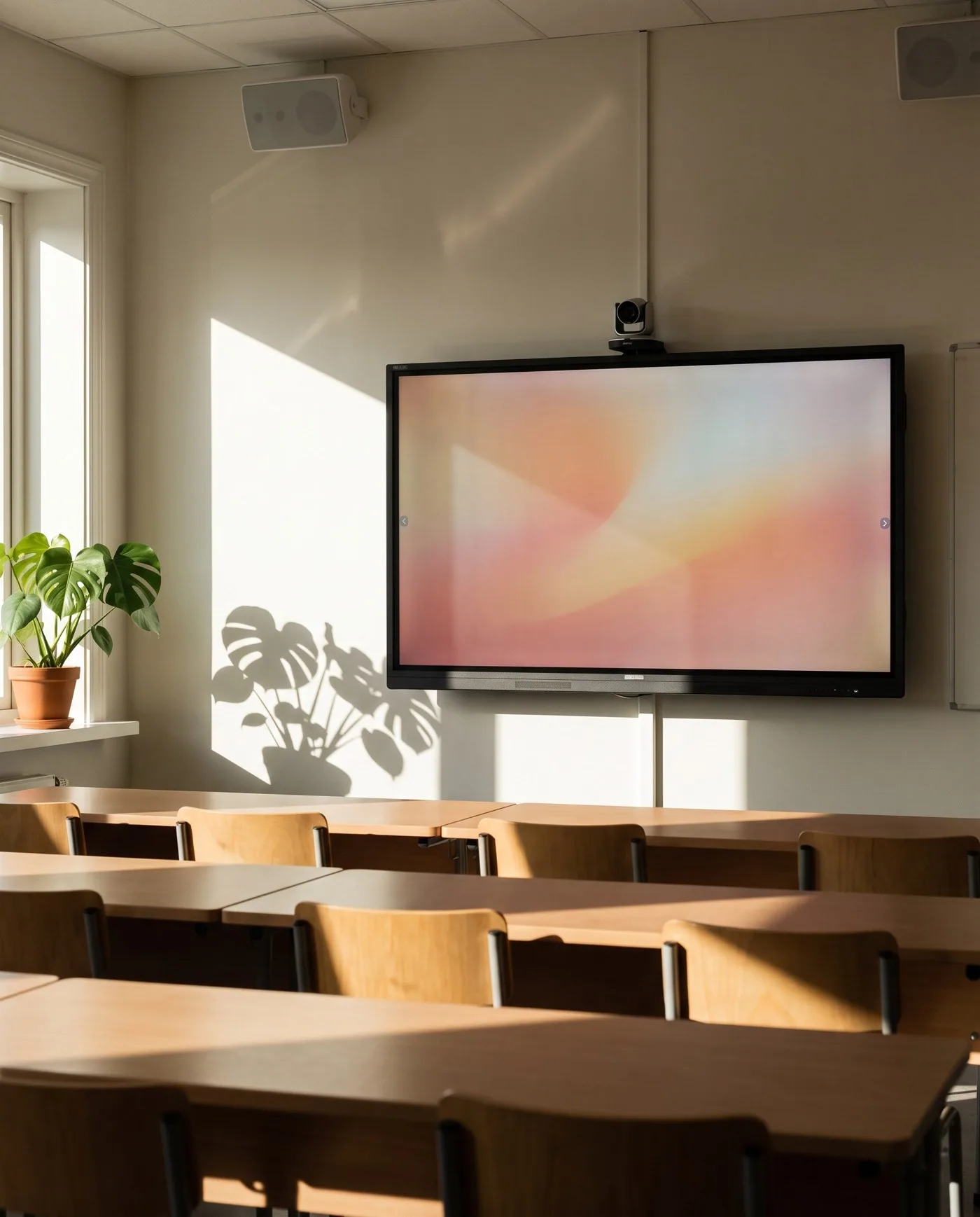
| Feature | Consumer smart TV | Interactive classroom panel |
|---|---|---|
| Touch surface | None or basic | Hardened anti-glare touch with multi-point stylus |
| Durability | Domestic use | Rated for sustained classroom duty |
| Annotation | None | Embedded annotation engine |
| Compute slot | None | OPS-PC slot |
Educational comparison — consumer TVs in classrooms are replaced far more often than commercial panels.
/ The discipline, in detail
How we approach smart classrooms.
A smart classroom is not a TV at the front of the room. It is a sound system that lifts the teacher's voice without amplification fatigue, an interactive panel that survives a thousand stylus presses, a camera that auto-tracks the speaker, and a recording chain that captures the lecture for the student who was absent.
We commission per-room — speaker placement, mic-lift gain, panel calibration — and we document the outcome. Hybrid-classroom and lecture-capture flows integrate with Google Classroom, Microsoft Teams and Moodle.
On record
Every smart classrooms engagement is documented end-to-end — design, programming, commissioning, calibration — and handed over with the files our successors would need if we were never to return.
/ Where we deploy this
Active across 2 sectors.
Smart Classrooms is rarely a standalone brief — it sits inside a wider sector practice with its own codes, expectations and operating rhythm.
/ Sister services
The rest of av.
A serious brief usually crosses two or three of these. Read across the discipline — we deliver them as one contract.
- 01
Home Theatre
Reference cinema, in your living room.
Custom-engineered private cinemas — projector, processor, screen, seating and acoustics designed to a single sweet-spot, following THX and Dolby Atmos reference layouts.0 - 02
Multi-Room Audio
One song. Every room. Or six different ones.
Whole-home audio on Yamaha, Sonance and BluOS — invisible in-ceiling speakers, hidden subs, room-corrected and zone-routed.1 - 03
Acoustic Solutions
Rooms that sound the way they look.
Acoustic design and treatment for cinemas, auditoriums, recording studios, places of worship and conference halls — engineered absorbers, diffusers, bass traps and ceiling clouds.2 - 04
Video Walls
Pixels at the scale of architecture.
Direct-view LED, fine-pitch LCD and rear-projection video walls for command centres, lobbies, broadcast studios, control rooms and event venues.3 - 05
Control Rooms & Command Centres
The room is the instrument.
Operator environments for security, utilities, transport and industrial monitoring — where the display wall, the operator position and the infrastructure behind them are engineered as one system that runs continuously.4 - 07
LED Panels & Projectors
The right pixels for the room.
Direct-view LED, OLED, microLED and laser projection — selected to the room's lux, throw, sightline and content.5 - 08
Professional Audio & PA Systems
Intelligible, every seat in the house.
Public address, voice-evacuation and concert-grade audio for auditoriums, places of worship, stadia, transit hubs and event venues.6 - 09
Auditoriums & Boardrooms
Rooms that begin on time.
Turnkey auditorium, boardroom, training-room and conference-room AV — display, audio, control, video-conferencing and lighting integrated to a single touch.7 - 10
Digital Conferencing & Voting Systems
Sittings, voting, interpretation — one system, every seat.
Parliamentary-grade digital conferencing for legislative chambers, council halls and corporate boardrooms — mic management, electronic voting, 8-channel interpretation, camera control and chamber recording, integrated through Bosch DCN, Dicentis and Integrus.8 - 11
Recording Studios & Nightlife
Rooms tuned to the recording.
Recording studio design, post-production suites, broadcast booths and nightlife audio — acoustic isolation, monitoring, console integration and DJ infrastructure.9 - 12
Stage Lighting
Light that performs.
Theatre, concert, event, nightclub and place-of-worship stage lighting — moving heads, washes, profiles, pixel-mapped LED, effect lighting and MADRIX or ProtoPixel show control on DMX / Art-Net / sACN.10 - 13
Conference Room AV
Single-touch join. Every meeting.
Microsoft Teams Rooms, Zoom Rooms and Cisco Webex meeting rooms on platform-certified hardware, with auto-tracking cameras, ceiling-array microphones and one-touch room controllers.11 - 14
Hospitality Venue AV
From the banquet stage to the last bar stool.
Hospitality venue AV — banquet hall, ballroom and conference AV, restaurant and bar zone audio, and club-grade nightlife systems with JBL Professional, K-array and Kgear, engineered for hotels, resorts and standalone venues.12 - 15
Digital Signage & Wayfinding
The right message, in the right place, on schedule.
Commercial indoor and outdoor display panels, signage video walls, menu boards, wayfinding and queue or information screens — driven by content-management software with scheduling and remote management for retail, hospitality, corporate, transport and institutional spaces.13 - 16
IPTV & Hospitality TV
Live channels, your channel, on every screen in the building.
Head-end reception and IP distribution of live television, in-house channels and content to commercial-grade and hotel TVs — with interactive welcome screens, an electronic programme guide, casting and integration into the property's network and guest-room systems.14 - 17
Queue Management System
Take a token, watch the counter, walk up.
Token and queue management — ticket dispensers, counter and main calling displays, audio call-forward, multi-counter routing and wait-time analytics — for healthcare, banks, government and retail counters.15 - 18
IP Paging & Announcement
Page the right zone, over the network.
IP network paging and announcement — zoned paging over the data network, SIP/telephone and desktop paging, scheduled bells and announcements — integrated with the PA and telephony systems for offices, campuses, industrial and transit sites.16
/ Integration with
How smart classrooms talks to the rest.
A serious deployment of this system rarely operates in isolation. The disciplines below most commonly share its cabling pathways, its controller logic, and its cause-and-effect matrix.
LED Panels & Projectors
The right pixels for the room.
Direct-view LED, OLED, microLED and laser projection — selected to the room's lux, throw, sightline and content.Professional Audio & PA Systems
Intelligible, every seat in the house.
Public address, voice-evacuation and concert-grade audio for auditoriums, places of worship, stadia, transit hubs and event venues.Enterprise Wi-Fi
Coverage you can measure, not just claim.
Wi-Fi 7 and Wi-Fi 6E enterprise wireless — Cisco, Aruba, Juniper Mist, Netgear — site-surveyed to the building's actual cell-edge SNR.
Product intelligence
What we specify for this system, and what we hold published figures for
Classroom projection and speech reinforcement are sized against the same room; the interactive surface and the compute behind it are not product-backed in this estate and are not claimed here.
Audio-visual — projection
390 products · 51 brands · 187 manufacturer-verified
Including AWOL Vision LTV-3000 Pro (UST), Anker Nebula Capsule 3 Laser, Barco DP4K-30L, BenQ W5850, Canon LV-X420 and Casio XJ-V1.
- Projector Throw Distance Calculator — the placement distance this projector's published throw ratio allows for a given image width.
Audio — loudspeakers
2543 products · 58 brands · 2278 manufacturer-verified
Including 1 SOUND C4, AUDAC ALTI4, Adamson VGd, Alcons Audio CCS6, AtlasIED FAP33T-W and Biamp Community R.5-94Z.
- Speaker Coverage Planner — the horizontal coverage width this loudspeaker's published dispersion gives at a listening distance.
Figures come from manufacturer documents, each recorded with its source and the date it was read. Holding published data for a product means we specify and integrate it. It does not make TechnoGuru that manufacturer’s dealer, distributor, reseller or appointed representative, and no such relationship should be inferred from a product appearing here.
Engineering toolkit
Tools to scope this work
Calculators and reference checkers we use ourselves to sense-check the engineering before any drawings change hands.
- AV · Projection
Projector Throw Distance Calculator
Engineering-grade throw distance calculator across a verified multi-brand projector catalogue — Sony, JVC, Epson, BenQ, LG, Optoma, ViewSonic, Panasonic, Barco, Christie, Canon, InFocus, Maxell, Casio, EIKI, Philips, Nebula, JMGO, Dangbei, Boxlight, ASUS, Leica, Xiaomi, WEMAX, Ricoh and more. Searchable picker, throw range, lens-shift envelope, viewing distance, pixel density, feasibility flags and a custom-throw fallback. Sources cited per model.
51 brands · sourcedOpen - AV · Audio · Coverage
Speaker Coverage Planner
Engineering-grade speaker coverage and SPL planner across a source-cited public model catalogue spanning pro touring, commercial audio and architectural speakers. Predicts SPL at listener distance, the horizontal coverage width at that distance on the -6 dB dispersion axis, and the quantity needed for the room.
45 brands · SPL predictionOpen - IT · Wi-Fi · Coverage
Wi-Fi AP Planner
Floor area, ceiling height, wall material and client density in — AP count, PoE budget, switch ports and channel-plan advice out. Wi-Fi 6 / 6E / 7 with material-derated coverage and hex-packed cell preview.
APs · PoE · channelsOpen
/ Engineering concepts
Related engineering concepts
Concept
Cat6A Structured Cabling
Augmented Category 6 structured cabling — 10 Gbps over the full 100 m channel, rated for 25 years of service. The default for any new commercial or premium-residential cabling layer.
Concept
Power over Ethernet (IEEE 802.3)
IEEE-standard delivery of low-voltage DC power over the same Cat-class cable as data. PoE+ delivers up to 30 W; PoE++ Type 3/4 up to 90 W — sufficient for IP cameras, APs, VOIP phones and small displays.
Concept
Wi-Fi 7 (IEEE 802.11be)
Current generation of Wi-Fi. Adds 6 GHz band, MLO multi-link operation and 320 MHz channels. Default for new premium deployments where dense-room capacity is the binding constraint.
Concept
Fire Cause-and-Effect Matrix
A written specification that documents what each life-safety event triggers across the connected systems — lift recall, magnetic door release, PA announcement, AHU damper close, CCTV pre-record, access evacuation mode.
/ Used alongside
Commonly deployed alongside
Sector
Education & Institutions
Schools, colleges and universities.
Sector
Commercial & Corporate
Workplaces that begin meetings on time.
Service
Auditoriums & Boardrooms
Rooms that begin on time.
Service
Conference Room AV
Single-touch join. Every meeting.
Sector
Hospitality
Guest experience, engineered.
Service
Enterprise Network Design & Installation
Wires the building's nervous system.
/ Plan it right
Smart Classrooms — getting the brief right.
Common mistakes to avoid
- Buying interactive panels as televisions and skipping the audio — voice-lift is what actually changes outcomes at the back row.
- No teacher-training and adoption plan, so the panel becomes an expensive whiteboard by the second term.
- Standardising the hardware without standardising the operation — every room should work the same way so any teacher can teach anywhere.
- Leaving the LMS integration undesigned, so lecture capture lands nowhere the students can find it.
- Skipping per-room power and network provisioning during renovation, so the rollout stalls on cabling.
What to share before a quotation
- The room count and sizes, with a typical-classroom plan.
- The learning-platform environment — Google Classroom, Microsoft Teams, Moodle.
- Whether lecture capture and hybrid teaching are in scope.
- Network readiness per room — data points, Wi-Fi coverage, power.
- The rollout constraint — pilot rooms first, or a full deployment inside a term break.
Equipment categories
See the equipment behind the solution.
Explore equipment we supply and the services around it. The final specification follows your space, operating needs and agreed scope.
/ Frequently asked
Smart Classrooms — what buyers ask first.
What's the difference between an interactive panel and a smart TV?
An interactive classroom panel has hardened anti-glare touch, multi-point stylus, an embedded annotation engine, a 50,000-hour rating and an OPS-PC slot — none of which a consumer smart TV provides. The lifecycle cost of using consumer TVs in classrooms is substantially higher.
What does NEP-2020 actually require in a smart classroom?
NEP-2020 mandates ICT integration but does not prescribe specific hardware. The practical interpretation includes: an interactive flat panel or projector at the front, distributed audio so every student hears clearly, recording capability for hybrid learning, and screen-mirroring from teacher-and-student devices. We design to that baseline plus what each institution needs beyond.
Interactive flat panel or interactive projector?
Interactive flat panels (BenQ, ViewSonic, Samsung) are the right answer for primary and secondary classrooms — brighter, sharper, no projector bulb to replace. Interactive projectors (Sony, Epson) work where the writing surface is larger than 86 inches or the room is deep enough that a panel is too small.
Do we need ceiling-array microphones for smart classrooms?
For hybrid learning where the lesson is broadcast or recorded, yes — ceiling-array mics (Sennheiser TeamConnect, Shure MXA) capture the full room evenly without requiring teachers to wear lapels. For non-hybrid classrooms, a teacher lapel and one or two student push-to-talk mics is usually sufficient.
How do we manage cabling in a working classroom?
All cabling routes through the ceiling and within walls; floor boxes are minimised and where used are flush-floor brass with locking lids. We design the cabling alongside the architect's reflected ceiling plan, not after the fact. Patch panels are concealed in a teacher-side AV cabinet.
What's the lifecycle of a smart-classroom installation?
Interactive flat panels run 50,000–60,000 hours at typical brightness — about 8 school years at full daily use. Audio components last 15+ years. Network gear is on a 7-year refresh cycle. We design the install so that any single component can be replaced without replacing the rest, and we plan the budget across 8 years rather than year-one only.
· Begin
Begin a
smart classrooms
brief.
Tell us about the building, the timeline, and what success looks like a year after handover. We will reply within two working days with a written response, not a sales pitch.