
06 / 09
Case file
Servers, Storage & Data Centre.
On-prem, hybrid and edge — sized for actual workload.
Server and storage architecture — Dell, HPE, Lenovo, Pure, NetApp — for on-prem and hybrid workloads, including precision cooling, rack design and DR.
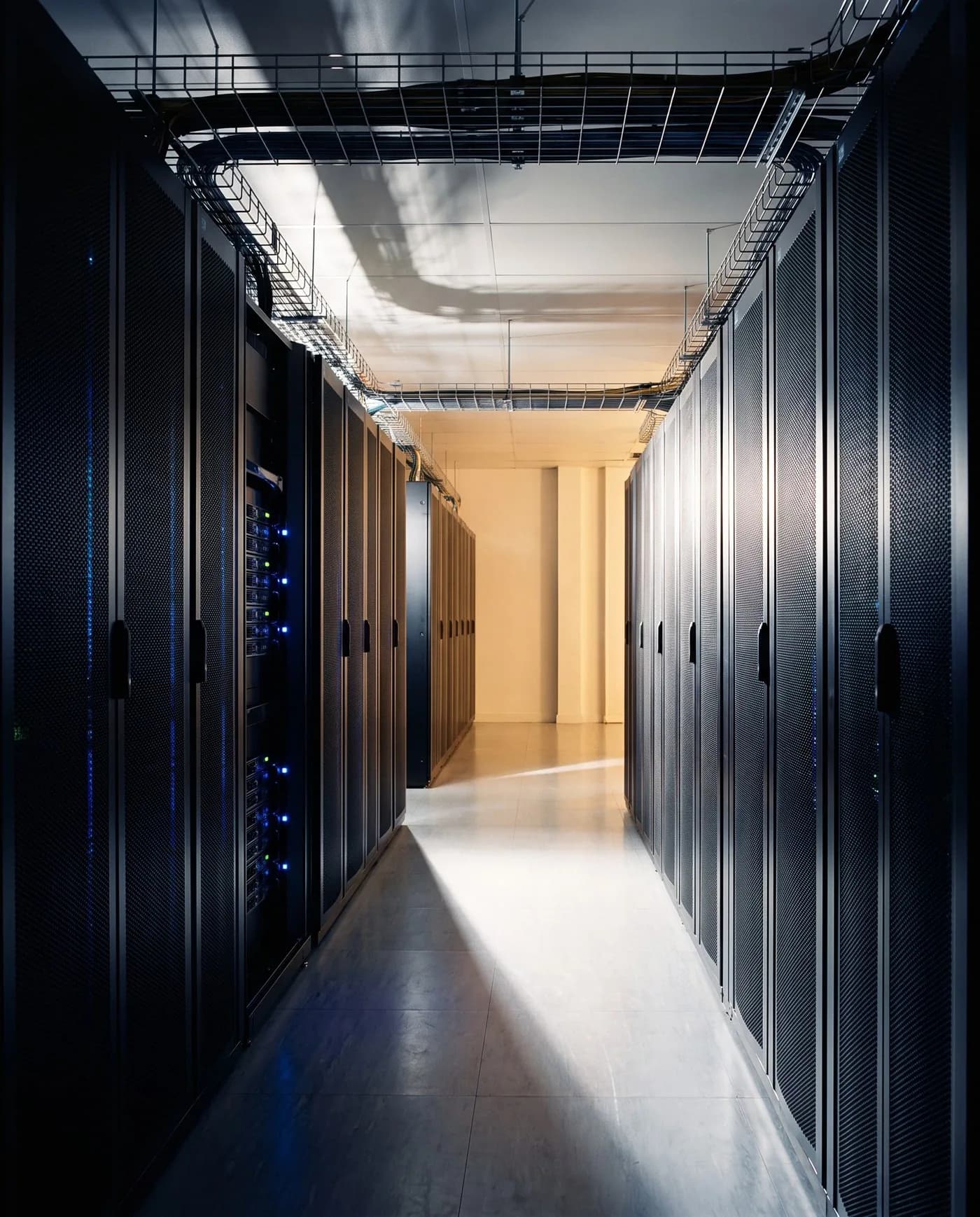
| Workload | Typical home | Why |
|---|---|---|
| Latency-sensitive / data-residency | On-prem | Stays close, meets residency rules |
| Bursty / analytical | Cloud | Scales up and down on demand |
| Most organisations | Hybrid | Balances latency, residency and economics |
Educational comparison — not about any specific installer.
/ The discipline, in detail
How we approach servers, storage & data centre.
Server rooms are quietly engineered or noisily failing — there is rarely a third option. We design rack-row layouts to actual heat load, specify precision cooling that matches the IT footprint rather than the brochure, and engineer power redundancy from the BESS through to the PDU. Storage is sized by IOPS and throughput against the actual workload, not the vendor's spec sheet, and DR is tested against a written runbook.
The owner's real question is resilience per rupee — how much redundancy the workload genuinely justifies before it becomes insurance no one needs. We size compute and storage against measured IOPS and throughput rather than a vendor configurator, engineer power and cooling to the actual heat load, and design the backup-and-DR tier to a recovery objective the business has signed off. On-prem, hybrid or edge is decided by latency, data-residency and economics together, and the result is documented so a future refresh is a planned event rather than an emergency.
On record
Every servers, storage & data centre engagement is documented end-to-end — design, programming, commissioning, calibration — and handed over with the files our successors would need if we were never to return.
/ Redundancy
No single point of failure
Dual feeds, A/B power paths and failover discipline — the redundancy topology compute and storage rooms are engineered against.
Diagram · described
Redundancy / failover topology
A dual-feed topology used for tier-2-equivalent IT and life-safety loads. Utility A and B converge at an automatic transfer switch, with UPS A and UPS B operating in parallel with maintenance bypass to twin PDU branches that feed dual-power-supply loads.
Diagrammatic view — a system planning illustration for design discussion, not a project drawing or live interface.
/ Where we deploy this
Active across 5 sectors.
Servers, Storage & Data Centre is rarely a standalone brief — it sits inside a wider sector practice with its own codes, expectations and operating rhythm.
/ Sister services
The rest of it.
A serious brief usually crosses two or three of these. Read across the discipline — we deliver them as one contract.
- 01
EPABX & IP-PBX
Voice, routed cleanly.
Enterprise voice — IP-PBX, SIP trunking, hosted UC and hospitality PMS integrations — Grandstream, NEC, Cisco and Yeastar.0 - 02
Enterprise Network Design & Installation
Wires the building's nervous system.
Structured cabling, Wi-Fi 7, switching, SD-WAN and data-centre networking — Cisco, HPE Aruba, Juniper, Netgear, CommScope.1 - 03
Structured Cabling
Backbones rated for the next quarter-century.
Cat6A, OS2 and OM4/OM5 structured cabling — designed to TIA-568, terminated to manufacturer warranty and labelled to a documented patch schedule.2 - 04
Enterprise Wi-Fi
Coverage you can measure, not just claim.
Wi-Fi 7 and Wi-Fi 6E enterprise wireless — Cisco, Aruba, Juniper Mist, Netgear — site-surveyed to the building's actual cell-edge SNR.3 - 05
Network Security
Segmentation. Visibility. Recoverable backups.
Next-generation firewalls, segmentation, NAC, EDR, SIEM and backup — Fortinet, Palo Alto, Sophos, Check Point — designed to how breaches actually unfold, not how vendors describe them.4 - 07
Video Conferencing Infrastructure
Reliability beats features.
Cloud, on-prem and hybrid VC — Microsoft Teams, Zoom, Google Meet, Cisco Webex — with bridges, gateways, recording and transcription infrastructure.5 - 08
Digital Library & RFID Automation
The whole collection, tracked and self-service.
RFID-based library automation — tagging of books and media, self-issue and self-return kiosks, EAS security gates, handheld inventory readers and drop-box automation, integrated with the library-management software.6 - 09
Smart Rack & Precision Cooling
A server room, contained in one cabinet.
Self-contained smart racks — a sealed cabinet with close-coupled precision cooling, in-rack UPS, environmental and access monitoring, and optional integrated fire detection and suppression — for edge and server-room sites without a full data-centre room.7
/ Integration with
How servers, storage & data centre talks to the rest.
A serious deployment of this system rarely operates in isolation. The disciplines below most commonly share its cabling pathways, its controller logic, and its cause-and-effect matrix.
Structured Cabling
Backbones rated for the next quarter-century.
Cat6A, OS2 and OM4/OM5 structured cabling — designed to TIA-568, terminated to manufacturer warranty and labelled to a documented patch schedule.Network Security
Segmentation. Visibility. Recoverable backups.
Next-generation firewalls, segmentation, NAC, EDR, SIEM and backup — Fortinet, Palo Alto, Sophos, Check Point — designed to how breaches actually unfold, not how vendors describe them.Online UPS
Clean power, isolated from grid reality.
Double-conversion online UPS — continuous AC-to-DC-to-AC rectification that delivers regulated sine to your load with zero transfer time and complete isolation from grid sag, surge, harmonics and frequency drift.
/ Read deeper
The engineering, in long form.
Each article below goes deeper than this service page can — a full walk-through of the engineering decisions, written by the team that delivers this work.
Engineering decisions
Compare the options
Decision · Networking & IT
Single-mode vs multimode fibre backbone
You are specifying the backbone fibre grade for a new build or a re-cable and want it sized for the building's life rather than the current switch generation.
Decision · Power & UPS
Online UPS vs BESS-backed backup — the right ride-through
You are deciding how to protect a critical load and are weighing instantaneous ride-through against longer-duration backup or an energy strategy.
Decision · Power & UPS
Online UPS vs line-interactive UPS — the topology decision
You are choosing UPS topology for a specific load group and need to know whether a transfer event is acceptable to the equipment behind it.
Engineering toolkit
Tools to scope this work
Calculators and reference checkers we use ourselves to sense-check the engineering before any drawings change hands.
- ELV · Surveillance · Storage
CCTV Storage Retention Calculator
Multi-brand, codec-aware CCTV storage retention sizing across a source-cited camera-profile catalogue including Hikvision, Dahua, Axis, Hanwha, Bosch, Honeywell, CP Plus, Ubiquiti, Verkada, Meraki, Avigilon, Pelco and more. Computes storage TB, HDD count plan, recorded bandwidth and an NVR/VMS class recommendation against camera count. Pairs with the CCTV Coverage Calculator.
47 brands · codec-awareOpen - Power · UPS · Runtime
UPS Runtime Estimator
Critical load in kW + redundancy target in — runtime per battery string at 100/75/50% load, recommended VA rating and the load-vs-runtime curve. Online double-conversion UPS only.
kW · minutes · VAOpen - Life-safety · 28 states + 8 UTs
NBC Fire-Safety by State
State or union territory, building height and occupancy in — list of sprinkler, voice-evac PA, wet-riser and Fire-NOC triggers out, with explicit source-status tiering across all 28 Indian states and 8 union territories.
NBC 2016 · state ruleOpen
/ Engineering concepts
Related engineering concepts
Concept
Online (Double-Conversion) UPS
Double-conversion uninterruptible power supply. Rectifies AC to DC and inverts back to clean AC, isolating the load from grid disturbances. Default for mission-critical IT and life-safety equipment.
Concept
LFP (Lithium Iron Phosphate) Chemistry
The lithium-ion chemistry of choice for stationary BESS — thermally stable, safe for indoor install, 6,000+ cycle life, with eight-year TCO advantages over VRLA above 20 kVA loads.
Concept
Cat6A Structured Cabling
Augmented Category 6 structured cabling — 10 Gbps over the full 100 m channel, rated for 25 years of service. The default for any new commercial or premium-residential cabling layer.
Concept
Honeywell Building & Security Ecosystem
Honeywell BMS (Niagara framework), Pro-Watch access control and addressable fire-alarm — used as the supervisory and life-safety backbone for premium commercial and hospitality buildings.
/ Used alongside
Commonly deployed alongside
Sector
Commercial & Corporate
Workplaces that begin meetings on time.
Sector
Industrial & Warehousing
Operations that don't take a day off.
Sector
Healthcare
Hospitals where systems serve the patient.
Service
Enterprise Network Design & Installation
Wires the building's nervous system.
Service
CCTV & Surveillance
Coverage. Storage. Evidence.
Service
Online UPS
Clean power, isolated from grid reality.
/ Plan it right
Servers, Storage & Data Centre — getting the brief right.
Common mistakes to avoid
- Sizing compute and storage from a vendor configurator instead of the measured workload — IOPS and throughput, not brochure numbers.
- Building redundancy the workload does not justify while the real single points of failure — one cooling unit, one power path — go untouched.
- Treating the server room as an IT purchase and ignoring the room itself — heat load, cooling, power path and dust.
- DR that exists as hardware and licences but has never been failover-tested against a written runbook.
- No refresh or capacity plan, so growth is discovered as an emergency purchase.
What to share before a quotation
- The workload picture — applications, user counts, current pain points and measured utilisation where available.
- The recovery objectives the business will sign off — what must return, how fast, and how much data loss is tolerable.
- The room — space, power availability, cooling and the UPS and generator arrangement.
- Data-residency or compliance constraints that affect on-prem versus cloud placement.
- The existing estate — servers, storage, virtualisation and backup as they stand.
/ Frequently asked
Servers, Storage & Data Centre — what buyers ask first.
On-prem, cloud or hybrid?
Hybrid for almost every organisation in 2026 — latency-sensitive and data-residency workloads stay on-prem; bursty and analytical workloads move to cloud. Pure-cloud strategies make sense at very small scales (under 50 employees) and at very specific large scales (consumer-internet companies). The middle is hybrid.
On-premises, cloud, or hybrid?
Hybrid for almost every organisation in 2026. Latency-sensitive and data-residency-bound workloads stay on-premises; analytical and bursty workloads move to cloud. Pure-cloud strategies make sense at very small scale (under 50 employees) and very specific large scale (consumer-internet companies). Most organisations live in the middle.
What's the right approach to data backup?
3-2-1 rule: three copies, on two different media types, with one off-site. The off-site copy is the one that survives ransomware that encrypts everything on the primary network. We deploy Veeam, Rubrik or Cohesity with cloud-tier backup as the off-site path.
Dell, HPE or Lenovo for enterprise servers?
All three are equivalent at the level of build quality. Choice is usually driven by the existing fleet, the service-and-support contract you can negotiate, and the integration with your management platform. We deploy all three; we do not have a partnership preference.
What's the AMC scope for an on-premises server room?
Quarterly preventive checks (firmware, log review, disk health, fan and PSU verification), monthly remote-monitoring summary, annual full overhaul (deep cleaning, capacitor inspection, battery replacement on UPS). Premium AMC includes contracted critical-hours support with the escalation path documented in the AMC scope.
How do we plan for server-room cooling?
Hot-aisle/cold-aisle containment for any rack count above 4, in-row cooling (Vertiv, Honeywell) for high-density racks above 8 kW per rack. Temperature monitoring per rack with alarms; power-distribution-unit telemetry per circuit. We model thermal flow during design and verify after install.
· Begin
Begin a
servers, storage & data centre
brief.
Tell us about the building, the timeline, and what success looks like a year after handover. We will reply within two working days with a written response, not a sales pitch.